

Description
Download Social Fixer – Customizable Facebook Extension for Firefox
Overview
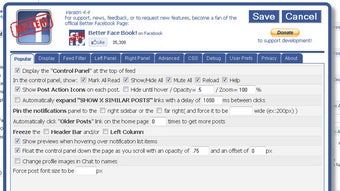
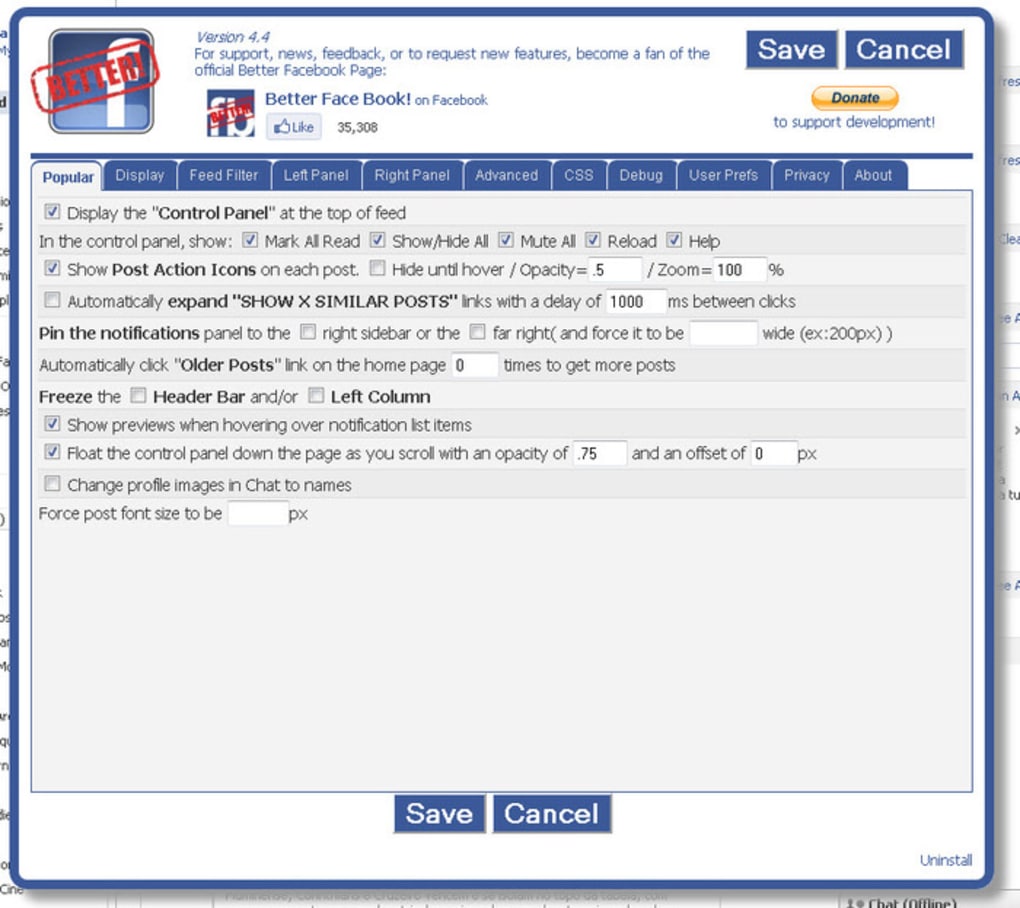
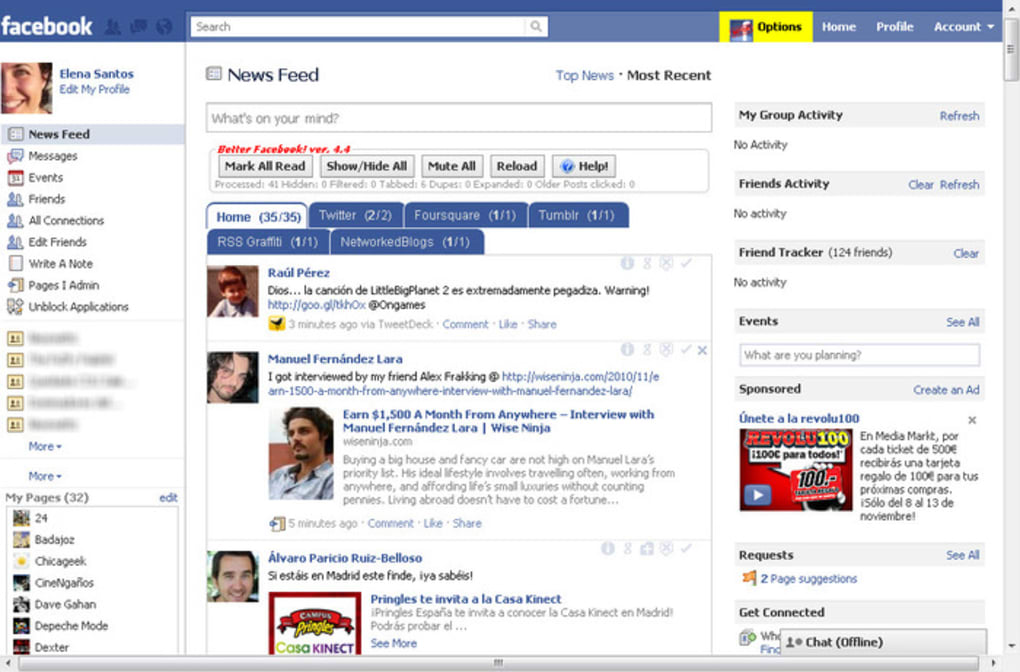
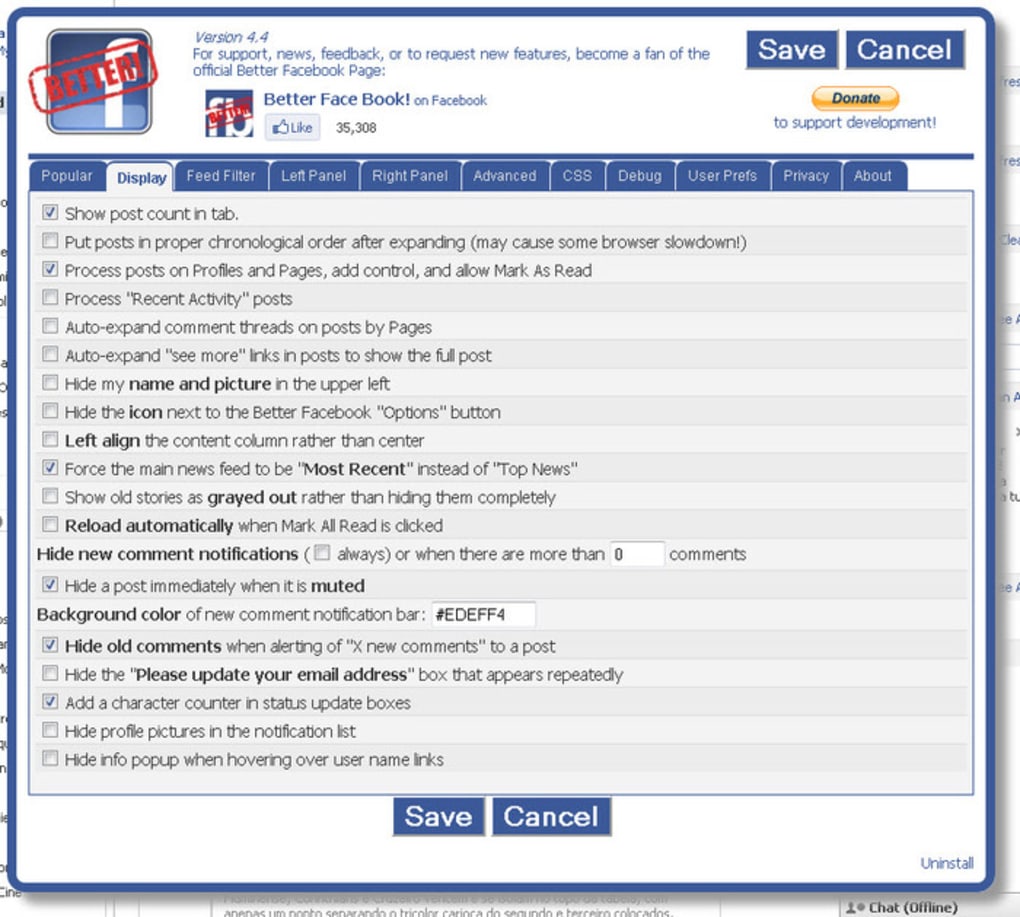
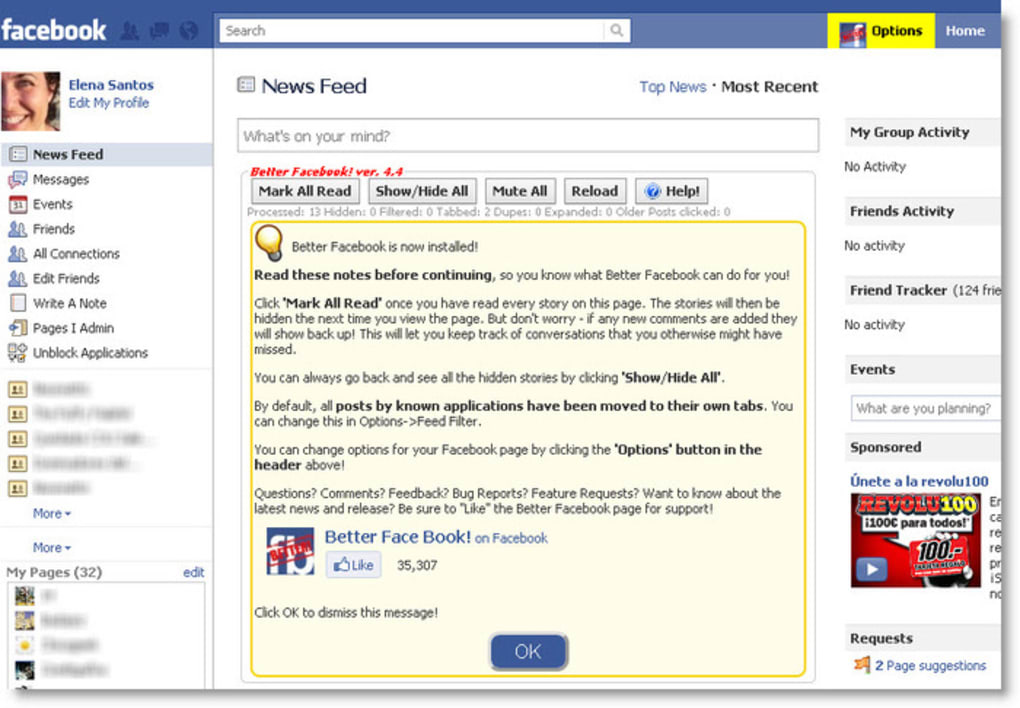
Social Fixer (formerly Better Facebook) is a powerful Firefox extension that transforms the way you experience the world’s largest social network. Designed for users who crave a cleaner, faster, and more personal Facebook feed, Social Fixer adds a suite of customization tools that let you hide unwanted content, reorganize the newsfeed, and control every visual element on the platform. After a quick installation, the extension overlays a concise quick‑start guide directly on your Facebook page, showing you new navigation bars, tabbed wall messages, and a discreet configuration button in the upper‑right corner. While the abundance of options can feel overwhelming at first, a short investment of time unlocks a highly adaptable browsing experience that feels tailor‑made for your preferences. Whether you want to mute sponsored posts, change font sizes, apply custom CSS, or set up advanced filters for specific keywords, Social Fixer gives you granular control without the need for any coding knowledge. Although some users have reported minor inconsistencies with the font‑resizing feature on certain Facebook sub‑pages, the overall impact is a more flexible, clutter‑free environment that speeds up navigation and reduces distractions. In short, Social Fixer is the go‑to tool for anyone looking to regain control over their Facebook timeline while keeping the core social features intact.
Key Features and Customization Options
- Advanced Filtering System: Create unlimited filters based on keywords, user names, or post types to automatically hide or highlight content that matches your criteria.
- Customizable Newsfeed Layout: Switch between the classic Facebook view, a compact column layout, or a fully tabbed interface that separates friends, groups, and pages.
- Sidebar & Toolbar Enhancements: Add, remove, or rearrange shortcut buttons for quick access to Messenger, Events, Marketplace, and more.
- Font & Theme Control: Adjust font size, line spacing, and color scheme across the entire site, with pre‑built dark and light themes for eye‑comfort.
- CSS Injection: For power users, inject custom CSS to fine‑tune the visual appearance of any Facebook element, from borders to button shapes.
- Ad & Sponsored Content Blocking: Seamlessly hide sponsored posts, suggested pages, and promotional stories without affecting the organic feed.
- Privacy Dashboard: Review and manage what data Facebook shares with third‑party apps directly from the extension’s control panel.
- Automatic Updates: Receive regular updates that keep the extension compatible with Facebook’s frequent UI changes, ensuring a stable experience.
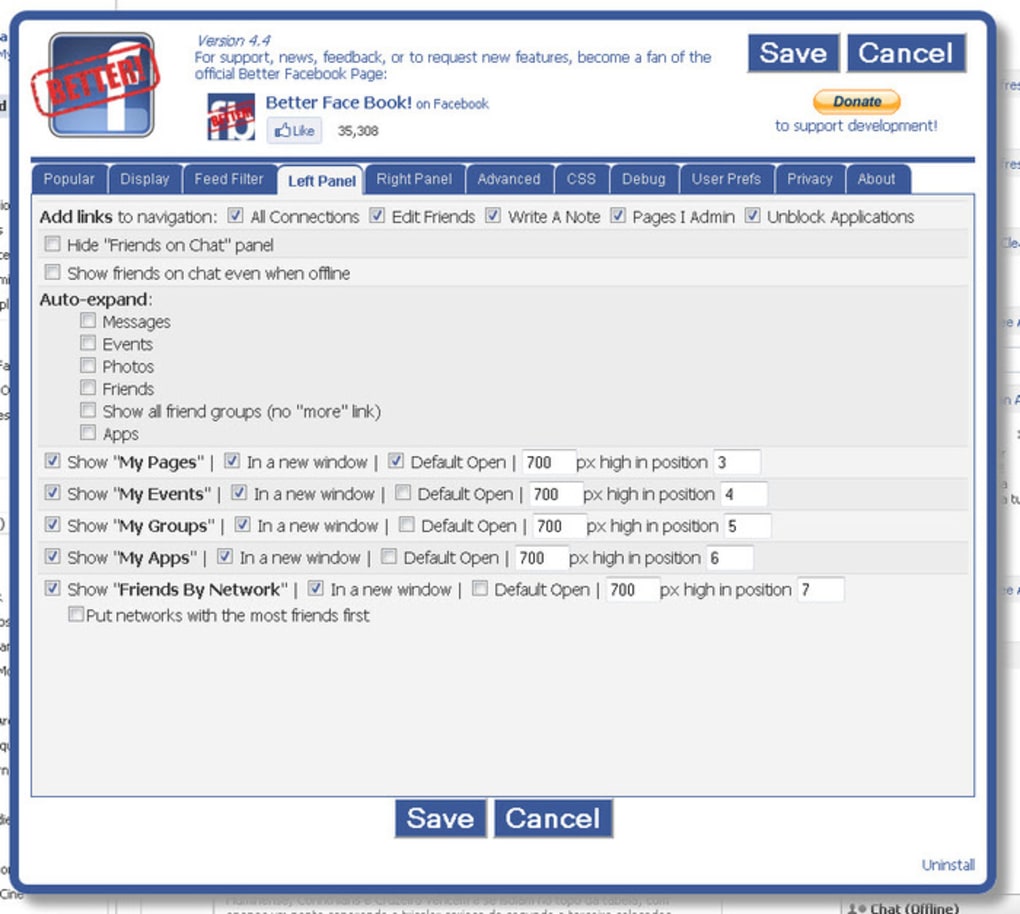
Each feature is accessed through the small gear‑icon button that appears on the top‑right of your Facebook window once Social Fixer is active. The settings panel is organized into clear categories—Filters, Layout, Appearance, and Advanced—making it simple to locate the option you need. For instance, the “Filters” tab lets you add a new rule with just three clicks: type a keyword, choose “Hide” or “Highlight,” and save. The changes take effect instantly, without requiring a page reload. This real‑time responsiveness is a core advantage of Social Fixer, as it lets you experiment with different configurations and see the results immediately, turning the extension into a live sandbox for your Facebook experience.
Installation, Compatibility & How to Use
Getting Social Fixer up and running is straightforward, even for users who are not tech‑savvy. Follow these steps to download, install, and start customizing your Facebook feed:
- Open Firefox and navigate to the official Social Fixer add‑on page.
- Click the “Add to Firefox” button. Firefox will prompt you to confirm the installation; select “Add” to proceed.
- After installation, restart Firefox if prompted. When you next load Facebook, a brief overlay will appear with a quick‑start guide.
- Click the newly added configuration button (a small gear icon) in the top‑right corner of the Facebook window.
- Explore the four main tabs—Filters, Layout, Appearance, and Advanced—adjust settings to your liking, and watch the changes apply instantly.
Social Fixer is built exclusively for the Firefox browser on desktop operating systems, including Windows 10/11, macOS 10.15+ and major Linux distributions. While the extension does not currently support mobile browsers or other desktop browsers such as Chrome or Edge, the development team has indicated plans for cross‑platform extensions in future releases. Because the add‑on works at the browser level, it does not require any additional software or administrative privileges beyond the standard Firefox extension permissions.
Once installed, you can use the built‑in “Export/Import Settings” feature to back up your custom configuration or transfer it to another device. This is especially handy for power users who have spent considerable time fine‑tuning their filters and layout preferences. The extension also includes a “Reset to Default” button for those moments when you want to start fresh. Throughout the usage experience, Social Fixer maintains a low memory footprint, ensuring that Firefox remains responsive even when multiple tabs are open.
Pros and Cons
Pros
- Deep level of customization—almost every Facebook element can be altered.
- Real‑time updates; changes appear instantly without page reloads.
- Effective ad and sponsored content blocking without third‑party trackers.
- Lightweight and does not noticeably slow down Firefox performance.
- Regular free updates keep the extension compatible with Facebook’s UI changes.
- Export/Import feature simplifies backup and migration of settings.
Cons
- Only available for Firefox; no official versions for Chrome, Edge, or mobile browsers.
- The sheer number of options can be intimidating for new users.
- Font‑resizing feature sometimes fails on specific Facebook sub‑pages.
- Advanced CSS injection requires basic knowledge of web styling.
- Occasional minor glitches after major Facebook redesigns (quickly fixed by updates).
Frequently Asked Questions
Is Social Fixer completely free?
Yes, Social Fixer is offered as a free Firefox add‑on. All core features—including filters, layout changes, and ad blocking—are available at no cost. The developers may accept donations, but no payment is required to use the extension.
Can Social Fixer affect the security of my Facebook account?
Social Fixer runs locally within Firefox and does not transmit any personal data to external servers. It only modifies the way Facebook content is displayed in your browser, so it does not pose a security risk to your account.
Will the extension work after a major Facebook redesign?
The development team monitors Facebook updates closely and releases patches promptly. In most cases, Social Fixer continues to work seamlessly, and any temporary issues are resolved within a few days.
How can I back up my custom settings?
Navigate to the Settings panel, select the “Export Settings” button, and save the generated JSON file. To restore, use the “Import Settings” option and choose the previously saved file.
Is there a way to revert to the original Facebook layout?
Yes. Within the Social Fixer control panel, click the “Reset to Default” button. This restores all Facebook elements to their original appearance while keeping the extension active for future tweaks.
Conclusion & Call to Action
Social Fixer stands out as one of the most versatile Firefox extensions for anyone who spends a significant amount of time on Facebook and wants a cleaner, more efficient browsing experience. By offering granular control over feeds, ads, fonts, and layout, it empowers users to shape their social media environment to match personal preferences. Although the learning curve can be steep, the built‑in quick‑start guide and intuitive settings panels help users get up to speed quickly. With regular free updates, low system impact, and a robust set of features, Social Fixer delivers a compelling value proposition that far outweighs its minor drawbacks. If you’re ready to declutter your newsfeed, hide unwanted sponsored content, and enjoy a faster, more personalized Facebook experience, click the download button below and start customizing today.
Guides & Tutorials for Social Fixer
How to install Social Fixer
- Click the Preview / Download button above.
- Once redirected, accept the terms and click Install.
- Wait for the Social Fixer download to finish on your device.
How to use Social Fixer
This software is primarily used for its core features described above. Open the app after installation to explore its capabilities.
User Reviews for Social Fixer 0
No reviews found





